Getting started
Introduction
Feed Control watches feeds and web pages for new items, cleans them up and sends them where you need them: to your feed reader, your website, your inbox, Slack, Discord or your own application. This page explains the main ideas and where to find them in the app.
What Feed Control does
Feed Control does three jobs:
- Monitors sources. Add an existing RSS or Atom feed, turn a web page into a feed with our Feed Creator tool, or follow a Google News topic. Feed Control checks each source on a schedule and saves new items as they appear.
- Processes items. Filters keep or drop items by keywords and URL segments, curation mode lets you hand-pick items, and full-text extraction pulls in the complete article when a feed only carries a summary.
- Delivers the results. Generate your own RSS or JSON feed, embed items on a website with a widget, get email alerts, or have new items sent to Slack, Discord or a webhook.
Key concepts
| Concept | What it is | Read more |
|---|---|---|
| Feeds | A source Feed Control monitors: an existing feed, a web page or a Google News topic. Each feed has its own settings and check frequency. | Adding a feed, Source settings |
| Feed items | The entries Feed Control has collected from a feed. You can open them, hide them or keep them regardless of filters. | Managing feed items |
| Filters | Rules that keep or remove items by the words or URL segments they contain. Curation mode lets you pick items by hand instead. | Filters and curation |
| Full text | Fetches the complete article for each item, so partial feeds become full-text feeds. | Full-text extraction |
| RSS and JSON output | A feed URL that Feed Control generates from your filtered, processed items, for feed readers and other services. | Generating RSS or JSON |
| Email alerts | Emails for each new item, or daily, weekly or monthly summaries. | Email alerts |
| Bundles | A group of feeds combined into one stream, with its own output and integrations. | Bundles |
| Widgets | An embeddable block that shows a feed's latest items on your website. | Widgets |
| Integrations | Connections that send new items to Slack, Discord or a webhook. | Integrations overview |
| Webhooks | An integration that posts each new item to a URL you control, for developers. | Webhooks intro |
| Event logs | A record of fetches, full-text extractions, uploads and integration deliveries, including failures and retries. | Event logs, Failure notifications |
Finding your way around
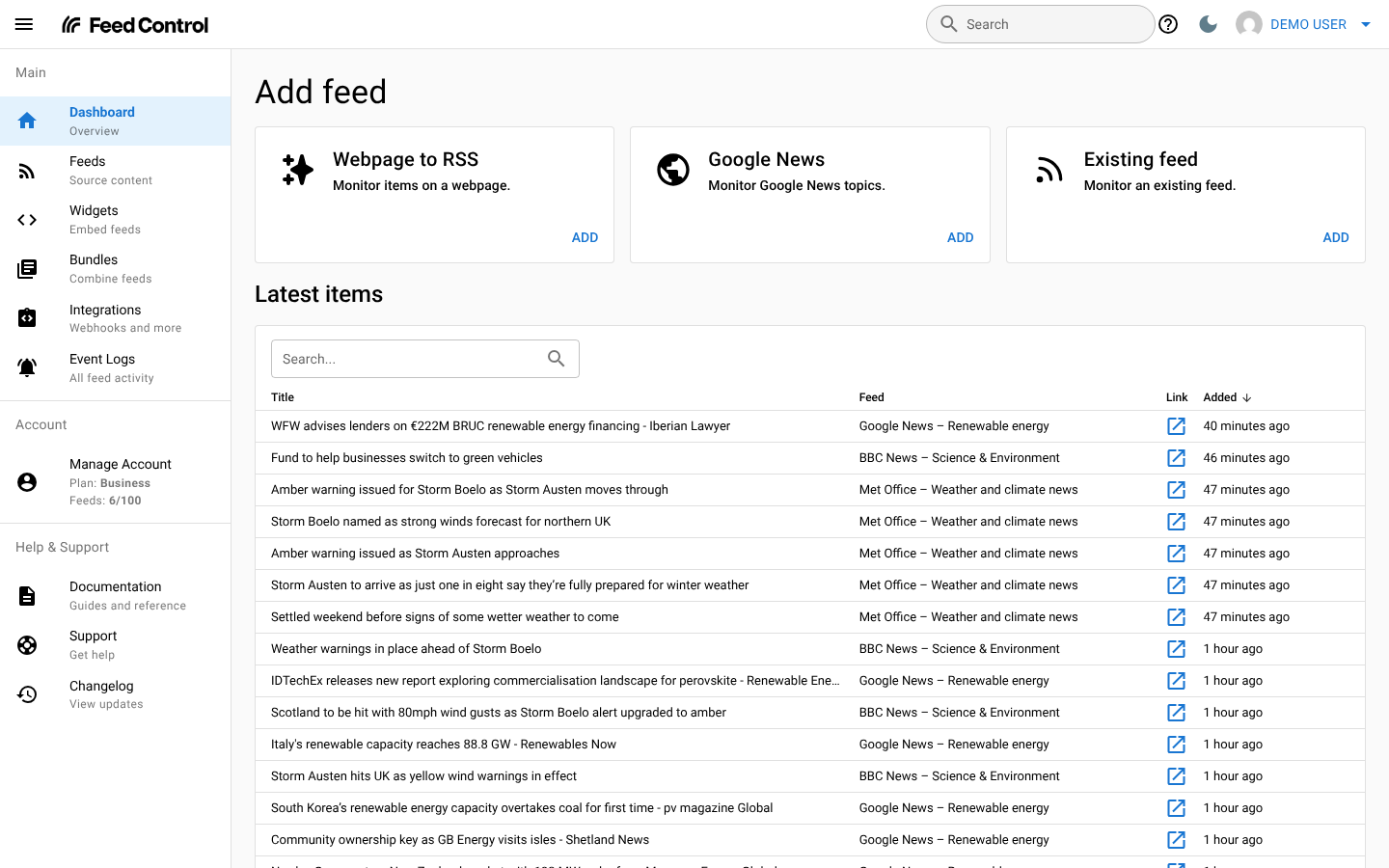
The sidebar on the left holds the main screens:
- Dashboard: add a feed and see the latest items from all your feeds.
- Feeds: your feeds and their settings.
- Widgets: embeddable versions of your feeds.
- Bundles: feeds combined into one stream.
- Integrations: Slack, Discord and webhook connections.
- Event Logs: everything Feed Control has done for your feeds, and what failed.
- Manage Account: your profile and plan. It also shows your current plan and how many feeds you have used.
- Documentation, Support and Changelog: help and product updates.
The bar at the top has a search box for your feeds, bundles and items (type at least two characters), a light and dark mode switch, and your account menu.
On a phone, open the sidebar with the menu button in the top-left corner. Search is behind the magnifying glass icon, and the dark mode switch is at the bottom of the sidebar.
Where to start
- New to Feed Control? Follow the Quick start to add your first feed.
- Want to know what your plan includes? See Plans and limits.
- Something not working? Try Troubleshooting and the FAQ, or contact support.
Can't find what you need? Contact support.